
In This Article
The IT Question That Determines Success
Every impressive AI demo ends with the same question from the IT team:
"How does this actually integrate with our existing systems?"
For AI platforms claiming to be "Salesforce-native," that integration story is make-or-break. Many vendors use "native" loosely—they might mean "we have an API that connects to Salesforce" rather than "we run entirely within Salesforce."
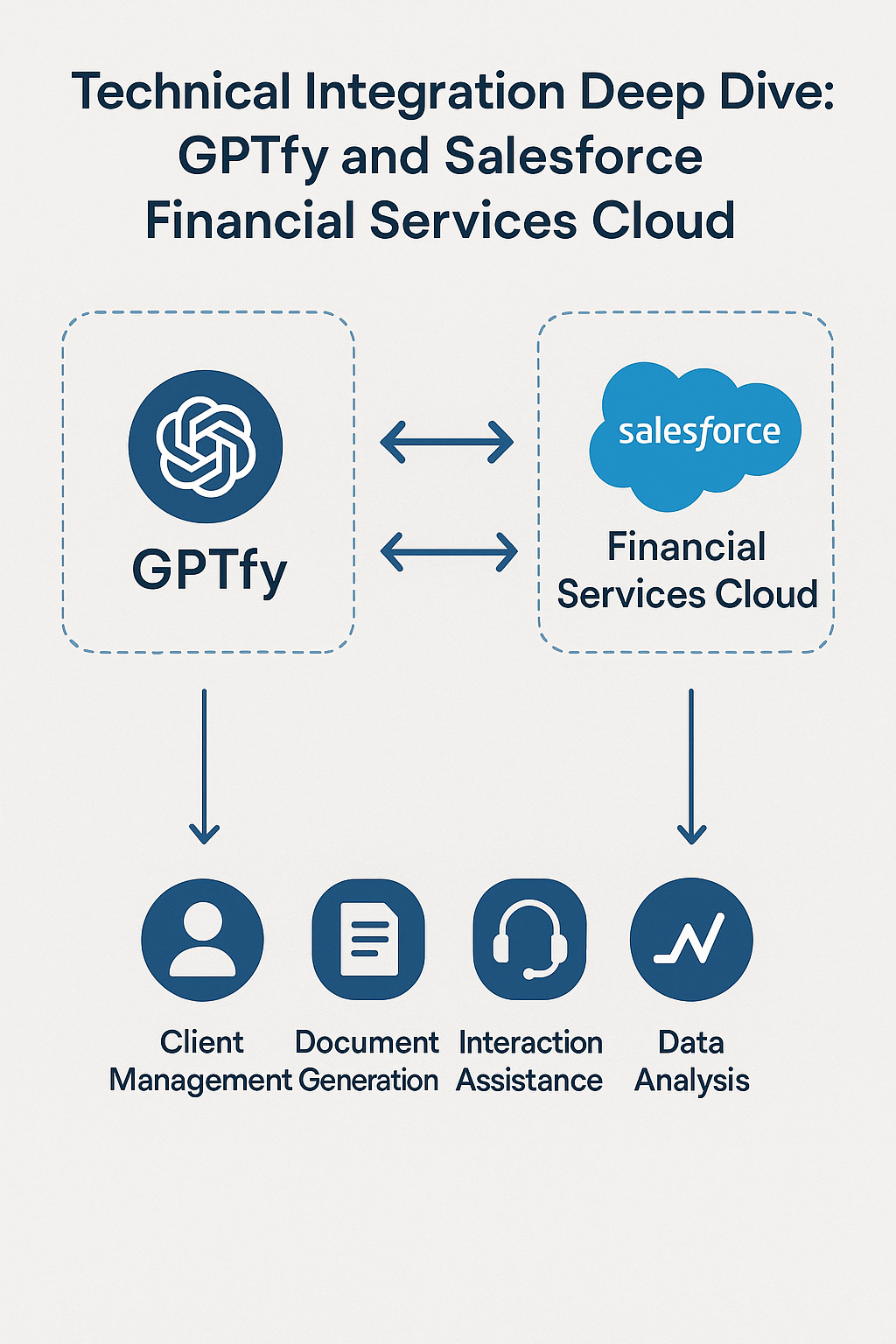
GPTfy is different. As a 100% Salesforce-native, AppExchange Security Approved managed package, GPTfy operates entirely within your Salesforce environment. This article provides the complete technical blueprint for integrating GPTfy with Salesforce Financial Services Cloud—the architecture, security model, data flows, and deployment methodology that have proven successful across our 400+ financial services implementations.
Understanding the GPTfy Architecture
Three-Layer Architecture
GPTfy's architecture consists of three distinct layers working together:
┌─────────────────────────────────────────────────────────────┐
│ LAYER 1: SALESFORCE │
│ GPTfy Managed Package │ Lightning Components │ Apex │
├─────────────────────────────────────────────────────────────┤
│ LAYER 2: GPTfy ORCHESTRATION │
│ Prompt Builder │ Context Assembly │ PII Masking │ RAG │
├─────────────────────────────────────────────────────────────┤
│ LAYER 3: YOUR AI MODEL (BYOM) │
│ Your Azure / AWS / GCP Environment │
│ OpenAI GPT │ Anthropic Claude │ Google Gemini │ DeepSeek │
└─────────────────────────────────────────────────────────────┘
Layer 1 - GPTfy Salesforce Native Application: GPTfy installed as AppExchange Security Approved managed package with Lightning components integrated into FSC interface, Apex classes for business logic and workflow integration, and native Salesforce objects for configuration and logging.
Layer 2 - GPTfy AI Orchestration: Prompt Builder for template management and versioning, context assembly from Salesforce records, dynamic PII Masking before AI model contact, RAG system for knowledge retrieval, and response processing and formatting.
Layer 3 - Your BYOM AI Model: Deployed in your cloud environment (Azure, AWS, or GCP) with full control over model selection and version. Data never leaves your security perimeter and scales based on usage patterns.
GPTfy BYOM: Supported AI Models
GPTfy supports all major LLM providers:
| Provider | Models | Notes |
|---|---|---|
| OpenAI | GPT-4, GPT-4 Turbo, GPT-3.5 | Most popular choice |
| Anthropic | Claude 3 Opus, Claude 3 Sonnet, Claude 2 | Strong reasoning |
| Gemini Pro, Vertex AI | Enterprise GCP integration | |
| Azure OpenAI | All Azure-hosted OpenAI models | For Microsoft shops |
| DeepSeek | DeepSeek models | Cost-effective option |
| Perplexity | Perplexity models | Research-focused |
| Open Source | Llama and self-hosted models | Maximum control |
This flexibility allows firms to leverage existing cloud agreements and choose optimal models for specific use cases.
Data Flow Architecture
Understanding how data moves through GPTfy is critical for security and compliance review.
Outbound Flow (User Request → AI Response):
| Step | Component | Data Movement |
|---|---|---|
| 1 | User Action | User initiates GPTfy request in Salesforce |
| 2 | GPTfy Component | Gathers context from FSC records |
| 3 | GPTfy Orchestration | Assembles prompt using Prompt Builder template |
| 4 | GPTfy PII Masking | Applies dynamic masking rules |
| 5 | API Call | Secure request to your BYOM model |
| 6 | AI Processing | Model generates response (in your cloud) |
| 7 | Response Processing | Format, validate, de-mask response |
| 8 | Display | Present to user in Salesforce |
| 9 | Logging | Audit trail written to GPTfy objects in Salesforce |
Key Security Points: All data originates from and returns to Salesforce. GPTfy's PII Masking applied before AI model contact. AI model runs in your environment, not vendor's. Complete audit logging in GPTfy Salesforce objects. Zero data retention—no persistent storage outside Salesforce.
Prerequisites and Requirements
Salesforce Requirements
| Requirement | Details |
|---|---|
| Edition | Enterprise Edition or higher (Unlimited, Performance) |
| Experience | Lightning Experience enabled |
| API Access | API calls available (standard allocation typically sufficient) |
| FSC License | Financial Services Cloud license (for FSC-specific features) |
| User Permissions | System Administrator for installation; custom permissions for users |
BYOM Cloud Requirements
For Azure OpenAI: Azure subscription with OpenAI service enabled, Azure OpenAI resource deployed, API key and endpoint URL, and appropriate model deployed (GPT-4, GPT-4 Turbo, etc.)
For AWS Bedrock: AWS account with Bedrock access, model access enabled (Anthropic Claude, AI21, etc.), IAM credentials with Bedrock permissions, and VPC configuration (optional but recommended).
For Google Cloud (Vertex AI): GCP project with Vertex AI enabled, service account with appropriate permissions, API enabled and quotas configured, and regional deployment selected.
Estimated Cloud Costs
| Deployment Size | Monthly Cloud Cost | Notes |
|---|---|---|
| Small (100 users, moderate usage) | $500-$1,000 | Base model deployment + API calls |
| Medium (250 users, active usage) | $1,000-$2,500 | Includes reserved capacity |
| Large (500+ users, heavy usage) | $2,500-$5,000+ | Dedicated resources recommended |
Note: These are cloud infrastructure costs separate from GPTfy platform licensing ($20-$50/user/month).
GPTfy Installation and Configuration Process
Phase 1: Sandbox Installation (Week 1)
Day 1-2: GPTfy Package Installation
GPTfy is available on Salesforce AppExchange as a Security Approved managed package. Access Salesforce AppExchange, search for "GPTfy" or navigate to the listing, click "Get It Now" and select sandbox environment, review and accept GPTfy permission requirements, and complete installation wizard (approximately 15 minutes).
Post-Installation Checklist:
- GPTfy package components deployed successfully
- GPTfy custom objects created
- GPTfy permission sets available
- Lightning components accessible
- Apex classes compiled without errors
Day 3-4: BYOM Connection Configuration
Configure connection to your AI model in GPTfy Settings: Provider Selection (Azure/AWS/GCP/OpenAI/Anthropic), API Endpoint URL, Authentication (API Key / OAuth / IAM), Model Selection, Default Parameters (temperature, max tokens), and Test Connection.
Day 5: Initial Testing
Execute test prompts using Prompt Builder, verify response quality, confirm audit logging in GPTfy objects, and validate PII Masking rules.
Phase 2: Production Deployment (Week 2)
Day 1: Production Installation
Follow same process as sandbox: install GPTfy managed package from AppExchange, configure BYOM connection, and verify component functionality.
Day 2-3: Security Configuration
GPTfy Permission Sets:
| Permission Set | Access Level | Typical Assignment |
|---|---|---|
| GPTfy Administrator | Full configuration, all features | Salesforce Admins |
| GPTfy Power User | All user features, Prompt Builder access | Team leads, power users |
| GPTfy Standard User | Standard AI features | All advisors, service agents |
| GPTfy Read Only | View AI interactions only | Compliance, audit |
Field-Level Security:
Configure which Salesforce fields GPTfy can access:
| Object | Fields | GPTfy Access |
|---|---|---|
| Account (FSC) | Name, Type, AUM | Read |
| Account | SSN, Tax ID | Masked/Blocked via PII Masking |
| Contact | Name, Email, Phone | Read |
| Financial Account | Balance, Holdings | Read |
| Opportunity | Amount, Stage | Read |
Day 4-5: Phased Rollout
| Wave | Users | Duration | Focus |
|---|---|---|---|
| Pilot | 15-20 power users | 1 week | Validation, feedback |
| Early Adopters | 50-75 users | 1 week | Broader testing |
| General Availability | All users | Ongoing | Full deployment |
Phase 3: Advanced GPTfy Configuration (Weeks 3-4)
GPTfy Prompt Builder Configuration:
GPTfy's Prompt Builder provides no-code prompt management with capabilities including: create prompts with merge fields from Salesforce, version control to track prompt history and changes, test prompts against sample data before deployment, define structured output expectations, configure model parameters per prompt, and route different prompts to different BYOM models.
GPTfy Configuration Objects:
GPTfy creates custom Salesforce objects for configuration and logging:
| Object | Purpose |
|---|---|
| GPTfy Settings | Global configuration, BYOM connection |
| Prompt Templates | Managed prompts and versions |
| AI Execution Logs | Complete audit trail of all interactions |
| Security Rules | PII masking configurations |
Workflow Integration:
Connect GPTfy to Salesforce automation through Flow Integration (invoke GPTfy within Salesforce Flows via pre-built action components), Apex Invocation (developers can call GPTfy from custom triggers, batch jobs, and applications), Lightning Web Components (embedded GPTfy in custom interfaces), and Process Builder (trigger GPTfy actions on record changes).
GPTfy Agent Configuration:
For multi-step autonomous GPTfy Agents: define agent goal in Prompt Builder, configure available tools (Salesforce actions), set execution boundaries, establish human checkpoints, configure error handling, and test extensively in sandbox.
Security and Compliance Configuration
GPTfy Security Architecture
GPTfy operates on a zero-trust architecture:
| Security Layer | GPTfy Implementation |
|---|---|
| Authentication | Salesforce SSO + API key management |
| Authorization | Salesforce permission sets, field-level security |
| Data Protection | Dynamic PII Masking, encryption |
| Audit | Complete logging in Salesforce |
| Compliance | SOC 2 Type II, HIPAA, GDPR, FINRA-ready |
GPTfy PII Masking Rules
Configure automatic PII protection:
| Data Type | Detection Method | Action |
|---|---|---|
| Social Security Number | Pattern: XXX-XX-XXXX | Mask: *--1234 |
| Account Number | Field-based | Mask: ****1234 |
| Date of Birth | Field-based | Mask: //YYYY |
| Tax ID | Pattern: XX-XXXXXXX | Block from AI |
GPTfy's dynamic masking process: identifies PII using pattern matching and field-level rules, replaces sensitive data with decoy values before AI transmission, de-masks response to restore context for user. Actual client data never leaves Salesforce in readable format.
GPTfy Audit Trail Configuration
Every GPTfy interaction logged with: Timestamp (exact time of request), User (Salesforce user ID), Request Type (prompt used, agent invoked), Input Context (records accessed - IDs, not content), Prompt Sent (full prompt with masking applied), Response Received (AI response text), Duration (processing time), Model Used (specific AI model and version), and Token Count (consumption metrics).
Compliance Reporting
GPTfy built-in reports for regulatory oversight: Usage by User (who's using GPTfy and how often), Usage by Feature (which GPTfy capabilities are most used), Exception Report (blocked requests, errors, escalations), Data Access Report (what records GPTfy accessed), and Trend Analysis (usage patterns over time).
GPTfy provides centralized usage analytics across all connected BYOM models, tracking token consumption, costs, and performance from a unified dashboard.
Integration with Salesforce Financial Services Cloud
FSC-Specific GPTfy Configurations
Financial Account Integration: GPTfy can read Financial Account balances and holdings, generate portfolio summaries via Prompt Builder, and provide performance comparison context in meeting prep.
Household Model Integration: GPTfy understands FSC Household structure, assembles cross-account context, and provides relationship-aware recommendations.
Action Plans Integration: GPTfy can read and reference Action Plans, provide onboarding status context, and maintain task completion awareness.
Interaction Summaries: GPTfy can generate Interaction Summary records, automatically log AI-assisted conversations, and create compliance-ready documentation.
External Data Integration
GPTfy supports External Object Integration via OData, enabling real-time, zero-copy access to data in external systems:
| External System | Integration Method | Use Case |
|---|---|---|
| SAP | OData | Customer financial data |
| Microsoft Dynamics | OData | CRM data unification |
| Marketo | OData | Marketing engagement data |
This allows GPTfy to leverage unified customer data without replication—the AI accesses a 360-degree view in real-time.
Example FSC Use Case Configuration
Meeting Preparation GPTfy Agent:
An agent designed to prepare advisors for upcoming client meetings utilizing GPTfy Agents (workflow orchestration), Prompt Builder (output formatting), RAG (knowledge retrieval), and PII Masking (data protection).
Data Sources (FSC Objects): Account (Person Account), Financial Account (Holdings, Performance), Financial Goal, Opportunity (Open items), Task (Recent activities), Event (Meeting history), and Interaction Summary (Past conversations).
Output Format: Client Snapshot (1 page), Discussion Topics (prioritized), Open Action Items, Portfolio Summary, and Suggested Talking Points.
Troubleshooting and Optimization
Common Issues and Solutions
| Issue | Cause | Solution |
|---|---|---|
| Slow response times | Large context, model latency | Optimize prompt, consider GPTfy caching |
| Inconsistent outputs | Temperature too high, prompt ambiguity | Lower temperature, refine Prompt Builder template |
| Permission errors | Insufficient user access | Review GPTfy permission sets |
| API rate limits | High usage volume | Implement queuing, request BYOM quota increase |
| Data not appearing | Field-level security | Check FLS settings for GPTfy access |
| PII appearing in responses | Masking rules incomplete | Update GPTfy Security Rules |
Performance Optimization
Prompt Optimization in GPTfy Prompt Builder: Keep prompts concise and specific, include only necessary context via merge fields, use system prompts for consistent formatting, and test variations to find optimal phrasing.
GPTfy Caching Strategy: Cache frequently used data, pre-compute common context, and use scheduled jobs for batch processing with Mass Processing feature.
Scaling Considerations: Monitor API call volumes in GPTfy analytics, plan for usage growth, consider dedicated AI resources for large deployments. GPTfy's fixed pricing protects against consumption cost surprises.
Key Takeaways
True Salesforce-native means running inside Salesforce—not just connecting via API. GPTfy's managed package architecture provides genuine native integration with FSC.
GPTfy BYOM architecture is straightforward to implement: Connect your Azure/AWS/GCP AI model, configure authentication, test connection—typically operational within days.
Security is multi-layered: GPTfy permission sets, field-level security, dynamic PII Masking, and complete audit logging provide comprehensive protection that satisfies FINRA requirements.
FSC integration is deep: GPTfy understands Financial Accounts, Households, Action Plans, and other FSC-specific structures out of the box.
Phased deployment reduces risk: Sandbox → pilot → early adopters → general availability is the proven path to successful GPTfy rollout.
GPTfy Prompt Builder enables no-code configuration: Business analysts can create, test, and deploy prompts without developer support.
Conclusion
Technical integration is often where AI initiatives succeed or fail. The GPTfy architecture described in this article—truly Salesforce-native components connected to your own AI model through BYOM—provides the foundation for compliant, scalable AI in financial services.
The combination of GPTfy's platform and Vantage Point's implementation expertise has been refined through 400+ financial services engagements. We understand not just how to install software, but how to configure GPTfy for the specific workflows, compliance requirements, and security standards that wealth management firms, banks, and insurance providers require.
GPTfy's positioning—go-live in weeks, not months—is achievable because of this proven architecture and methodology.
About Vantage Point
Vantage Point is a specialized Salesforce and HubSpot consultancy serving the financial services industry. We help wealth management firms, banks, credit unions, insurance providers, and fintech companies transform their client relationships through intelligent CRM implementations. Our team of 100% senior-level, certified professionals combines deep financial services expertise with technical excellence to deliver solutions that drive measurable results.
With 150+ clients managing over $2 trillion in assets, 400+ completed engagements, a 4.71/5 client satisfaction rating, and 95%+ client retention, we've earned the trust of financial services firms nationwide.
About Tierney Burklow
Expert consultant at Vantage Point, specializing in CRM implementations and digital transformation for financial services.